
Merge PDF
Updated 22 November 2026. Instructions checked against the current MuraTools interface.
Combine complete PDF files in the order you choose. The tool copies their pages without rasterizing or resizing them.
1. Choose at least two PDFs
Add two or more PDFs. The limits are 20 files, 25 MB per file and 50 MB total. Encrypted, damaged or unsupported PDFs are rejected.
2. Set the file order
Drag the file cards or use Up and Down. This changes the order of complete documents, not individual pages within them. The merged PDF follows this file order.
3. Name and merge the result
Set the output file name if desired, then choose Merge PDFs. The tool checks the finished PDF's page count before offering the download.
4. Review the saved document
Choose Download merged PDF. Open it and check the document boundaries, page total, orientation and any important interactive content.
Limits and things to check
- Each input PDF is limited to 200 pages, with 500 pages across the combined batch.
- Merging invalidates existing digital signatures. Keep the signed originals.
- Forms, annotations and advanced PDF features may not transfer exactly. This is not a page-rotation or page-deletion tool.
Processing and privacy
The tool processes supported inputs in your browser. Loading the website can still make analytics or advertising requests. See the privacy page for the distinction between local tool processing and website services.
Check PDF merge order with four sample pages
We merged two synthetic PDFs containing two pages each. The downloaded result has four pages: sample A pages 1 and 2, followed by sample B pages 1 and 2. The result was 3,304 bytes in this test.
Download sample A (two pages) and sample B (two pages). Add both files, keep A above B in the queue, and choose Merge PDFs.
Download the checked four-page result. Open it and check the labels on every page. Moving B above A changes the order of the complete files, not the pages within each source.
Our samples are unsigned. Merging a signed real document invalidates its existing digital signature, so keep the original signed copies.
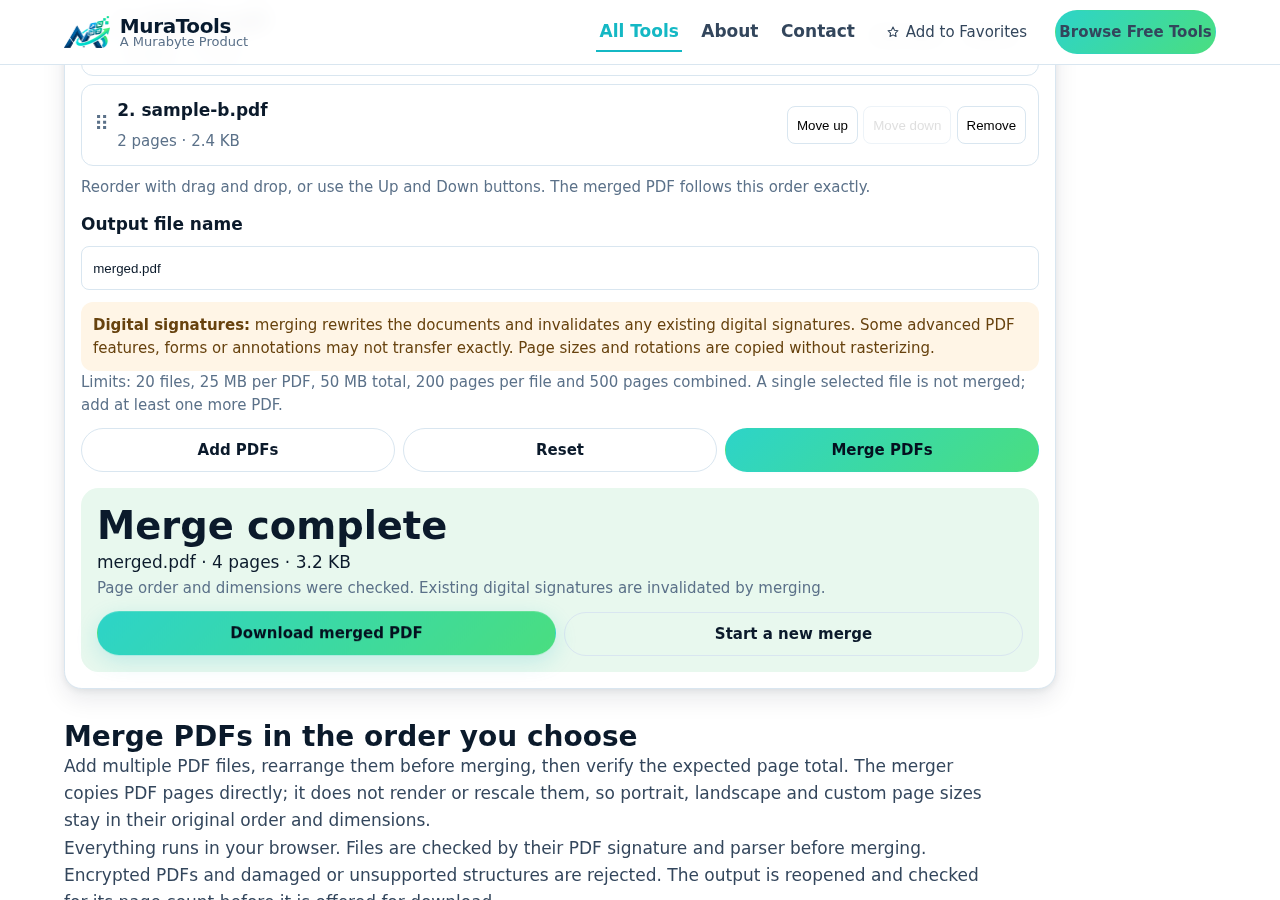
Measured in Chrome on 22 November 2026 using synthetic files made for MuraTools. These files contain no personal information. Browser codecs and your own files can produce different sizes and results. The examples are not a promise of a particular saving.